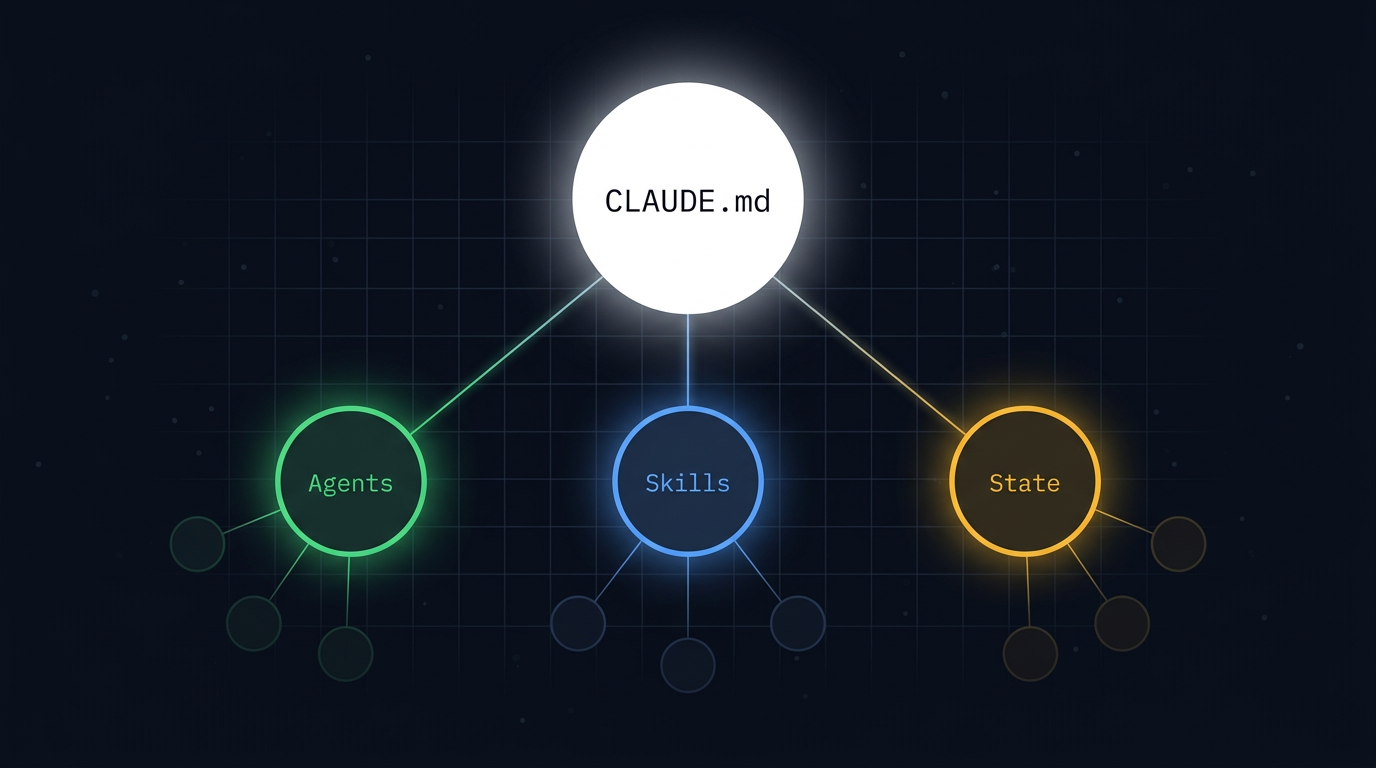
I kept running into the same problem when building multi-agent systems with Claude Code. The official docs explain individual features well (subagents, skills, CLAUDE.md, headless mode), but they don’t explain how those features compose into a working system. Every time I started a new project, I was re-deriving the same architectural decisions from scratch.
So I built this reference guide. It pulls together the patterns I’ve found reliable across multiple production systems, validated against official Anthropic documentation. Every claim was checked: 50 total, 45 confirmed against official sources, 1 flagged as needing empirical testing, and 4 caught and corrected during the review process. The full verification log is in the appendix.
This is not a tutorial. It’s a reference you bookmark and Ctrl+F when you need it. The sections are organized by concern, not by workflow step.
(official docs)
(eng blog)
(needs testing)
(caught in review)
Version 1.3, March 2026 (validated)
Scope
| Claude Code CLI | Cowork | |
|---|---|---|
| Subagents, skills, CLAUDE.md, state management | Yes | Yes (same agent harness, same filesystem) |
Headless execution (claude -p, crontab) | Yes | No (use /schedule instead) |
Cross-session persistence (auto memory, memory: frontmatter) | Yes | No (use context files instead) |
| Anthropic API / Agent SDK | Not targeted | Not targeted |
SDK documentation was used to validate architectural claims but this guide does not cover API or SDK usage directly.
1. Core Architecture
A multi-agent system on Claude Code has five layers:
| Layer | What | Where |
|---|---|---|
| CLAUDE.md | Orchestration logic, always-on context | Project root |
| Subagents | Specialist workers with isolated context | .claude/agents/ |
| Skills | Shared knowledge and reusable workflows | .claude/skills/ |
| State files | Cross-session coordination data | Project directory (e.g. state/) |
| Trigger | Crontab, CI pipeline, or manual invocation | External |
The main session (defined by CLAUDE.md) is the orchestrator. It reads state, makes decisions, and spawns subagents. Subagents execute focused tasks and return results. Skills provide shared knowledge that any agent can load.
Hard constraint: subagents cannot spawn subagents
This is a platform limitation, not a design choice. If your workflow needs nested delegation, use skills or chain subagents from the main conversation. Never design an orchestrator as a subagent. It must be the main session.
The main session IS the orchestrator
CLAUDE.md defines the orchestrator’s identity, protocols, and decision-making rules. A single claude -p "Run." call reads CLAUDE.md and executes accordingly. No external scripting layer is needed between the trigger and the agent logic unless you have specific phase-separation requirements.
2. Subagents (.claude/agents/)
Locations and priority
| Scope | Path | Shared | Priority |
|---|---|---|---|
| User | ~/.claude/agents/ | No | Lower |
| Project | .claude/agents/ | Yes (version control) | Higher |
When the same name exists at multiple levels: managed > CLI flag > project > user > plugin.
Anatomy of a subagent
---
name: agent-name
description: When this agent should be invoked. Be specific.
tools: Read, Write, Edit, Bash, Glob, Grep
model: sonnet
memory: project
skills:
  - skill-one
  - skill-two
---

System prompt in markdown. This becomes the subagent's
core instruction set. It does not receive the main
session's conversation history, but it does load
project-level CLAUDE.md.
Key properties
- Isolated context window. Subagents do not see the main conversation history. The SDK docs state the Agent tool’s prompt string is the only channel from parent to subagent. File-based subagents additionally load their own system prompt, project-level CLAUDE.md, any skills listed in their frontmatter, and basic environment details.
- Scoped tool access. List only the tools the subagent needs. Omitting the
tools:field grants access to all available tools. Be intentional. - Model routing. Use
model: sonnetfor most tasks (cost/capability balance),model: opusfor complex reasoning,model: haikufor fast/cheap tasks. Omitting the model field inherits the parent session’s model. Full model IDs (e.g.,claude-sonnet-4-6) are also accepted. - Return value. The parent receives only the subagent’s final message. Intermediate tool calls and reasoning stay inside the subagent.
- Skills preloading. Subagents with
skills:in their frontmatter receive the full skill content injected at startup. This is different from regular sessions, where skill descriptions are loaded but full content only loads on invocation. Subagent context budgets should account for the full size of preloaded skills.
Persistent memory
Subagents can maintain knowledge across sessions via the memory: frontmatter field.
| Scope | Location | Use case |
|---|---|---|
user | ~/.claude/agent-memory/<name>/ | Knowledge that applies across all projects |
project | .claude/agent-memory/<name>/ | Project-specific knowledge (version-controllable) |
local | Similar to project, not version-controlled | Machine-specific knowledge |
These paths are confirmed in the official subagent docs. The local scope stores to .claude/agent-memory-local/<name>/.
How memory works:
- On startup, the first 200 lines of
MEMORY.mdare injected into the subagent’s system prompt. - Read, Write, and Edit tools are automatically enabled for memory management.
- The subagent can create additional topic-specific files in its memory directory.
- If MEMORY.md exceeds 200 lines, the subagent is instructed to curate it.
Prompt the subagent to use memory explicitly in its system prompt:
Before starting work, review your memory for relevant patterns.
After completing work, save what you learned to your memory.
Update your agent memory as you discover patterns, decisions,
and key insights. Write concise notes about what you found.
Parallel execution
The main session can spawn multiple subagents in parallel for independent tasks. Use parallel execution when tasks don’t depend on each other’s outputs. Use sequential execution when one task’s output feeds into another.
3. Skills (.claude/skills/)
Locations and priority
| Scope | Path | Shared | Priority |
|---|---|---|---|
| User | ~/.claude/skills/ | No | Higher |
| Project | .claude/skills/ | Yes (version control) | Lower |
For skills: managed/enterprise > user/personal > project. Plugin skills are namespaced to avoid conflicts.
Note: This is the opposite direction from subagents, where project beats user. Skills prioritize personal customization; subagents prioritize project-specific definitions.
Anatomy of a skill
.claude/skills/
└── skill-name/
    ├── SKILL.md         # Main instructions (required)
    ├── template.md      # Template for Claude to fill in
    ├── examples/        # Example outputs
    └── scripts/         # Executable scripts
---
name: skill-name
description: When this skill should be used. Claude uses this
to decide whether to auto-load the skill.
---
Instructions in markdown that Claude follows when the skill
is invoked. Reference supporting files relative to this directory.Skills vs subagents: when to use which
| Use skills when… | Use subagents when… |
|---|---|
| You need shared reference knowledge | You need isolated context |
| Multiple agents need the same capability | The task produces large intermediate output |
| The capability is a workflow or process | The task needs restricted tool access |
| You want on-demand context injection | You want persistent agent-specific memory |
Skills are injected instructions. Subagents are isolated execution environments. They compose together: a subagent’s frontmatter can list skills: it should load.
Auto-discovery
Skills in .claude/skills/ within directories added via --add-dir are loaded automatically with live change detection. You can edit skills during a session without restarting. Claude scans skill descriptions to decide relevance and only loads full content when invoked or deemed relevant.
4. CLAUDE.md as Orchestrator
CLAUDE.md defines the orchestrator’s behavior. For multi-agent workflows, it should cover:
- Startup protocol: What the main session does first on every run. Read state files, check timestamps, determine what work is due.
- Agent roster: Which subagents exist, what each one does, and when to spawn each one. Include clear boundaries to prevent duplicate work.
- Execution rules: Which tasks can run in parallel vs must run sequentially. How to handle dependencies between agents. When to skip a task (e.g., nothing in the queue).
- State management protocol: Which files the orchestrator reads and writes. File ownership rules (which agent writes to which files). Conflict resolution and state cleanup rules.
- Shutdown protocol: What to do when all tasks are complete. Update status files, write run summaries, flag failures for the next run.
- Review gates: Where human approval is required before downstream work proceeds. The orchestrator should know not to stall production when the approval queue is empty, but also not to over-produce when nothing has been approved.
CLAUDE.md survives compaction
After /compact, Claude re-reads CLAUDE.md from disk. Instructions given only in conversation will be lost. Anything the orchestrator must always know belongs in CLAUDE.md, not in chat.
5. State Management: Filesystem as Shared Memory
Without shared databases or message queues, agents coordinate through files.
Design principles
- Each file has a single owner. One agent writes to it; others read it. This prevents collision.
- Use structured formats. JSON for machine-readable state, markdown for human-readable reports. YAML frontmatter in markdown files bridges both.
- Include timestamps. Every state update should record when it happened so downstream agents can assess freshness.
- Design for cold starts. Every session starts fresh. State files must contain everything an agent needs to resume work without conversation history.
- Plan for growth. State files that grow unboundedly will eventually consume too much context. Build archival/cleanup rules into the orchestrator’s protocol.
Recommended state structure
state/
├── status.json          # Global status: active tasks, last run, agent health
├── weekly-plan.md       # Current plan (strategist writes, others read)
├── runs/                # Structured log per run
│   ├── 2026-03-15_09-00.json
│   └── ...
└── [domain-specific state files]
Structured run reports
Each run should produce a machine-readable report:
{
  "timestamp": "ISO-8601",
  "tasks_evaluated": 4,
  "tasks_executed": 2,
  "tasks_skipped": 2,
  "agents_spawned": ["agent-a", "agent-b"],
  "outputs_produced": [
    {"file": "path/to/output", "agent": "agent-a", "status": "complete"}
  ],
  "failures": [],
  "decisions": [
    "Skipped agent-c: precondition not met"
  ]
}
6. Execution: Headless Mode
Basic invocation
claude -p "Run." \
  --allowedTools "Read" "Write" "Edit" "Bash" "Glob" "Grep" "Agent" \
>> logs/$(date +%Y-%m-%d_%H-%M).log 2>&1-pruns Claude Code non-interactively (headless).--allowedToolsmust explicitly include"Agent"for subagent spawning.--dangerously-skip-permissionsbypasses all permission checks for full autonomy. Only use in sandboxed environments without internet access. It does not prevent exfiltration of anything accessible in the execution environment, including credentials. Use--allowedToolsfor tighter, safer control.- The prompt can be minimal if CLAUDE.md carries the orchestration logic.
Scheduling with crontab
# Run every hour
0 * * * * cd /path/to/project && claude -p "Run." \
  --allowedTools "Read" "Write" "Edit" "Bash" "Glob" "Grep" "Agent" \
  >> logs/$(date +\%Y-\%m-\%d_\%H-\%M).log 2>&1
Note: The % characters are escaped as \% because crontab interprets unescaped % as newlines. The basic invocation above uses unescaped % which is correct for direct shell use.
Constraints:
- The host must be running. Crontab requires an awake machine (or a cloud VM that stays on).
- If the machine sleeps or reboots, missed runs are simply skipped.
- Each invocation is a fresh session. Continuity comes from state files and agent memory, not conversation history.
Auto memory for the main session
The main session accumulates knowledge in ~/.claude/projects/<project>/memory/ (confirmed in official docs). The <project> path is derived from the git repo root, so all worktrees and subdirectories share one memory directory. Outside a git repo, the project root is used instead. This is separate from subagent memory. It’s the orchestrator’s own learning.
7. Observability and Quality Assurance
Three layers of observability
1. Structured run reports (machine-readable)
The orchestrator writes a JSON report per run to state/runs/. Enables automated monitoring: grep for failures, chart output velocity, detect idle runs.
2. Quality review skill (agent-assisted) A skill that reviews outputs against defined criteria. Can be invoked by the orchestrator at the end of a run or by a human on demand. Should also periodically review agent memory files for coherence and drift. For a deeper look at why separating evaluation from generation matters, and how to calibrate an evaluator agent to avoid the self-preference bias LLMs exhibit when grading their own work, see Two Patterns That Changed How I Think About Multi-Agent Systems.
3. Session transcript review (deep audit)
Each claude -p run produces a JSONL transcript in ~/.claude/projects/. Parse these to audit: Did the orchestrator make reasonable decisions? Did subagents stay in scope? What was the token overhead vs productive work?
Failure modes to monitor
| Failure mode | Symptom | Mitigation |
|---|---|---|
| Drift | Outputs slowly move off-spec | Periodic quality review against source-of-truth criteria |
| Memory noise | Agent MEMORY.md fills with irrelevant notes | Scheduled memory audits; 200-line curation pressure helps |
| Stale state | Status files grow indefinitely | Archival rules in orchestrator protocol |
| Duplication | Agents reproduce work already done | Strong task descriptions with clear boundaries |
| Silent failure | Subagent errors not retried | Failure logging + next-run retry logic in orchestrator |
| Token burn | Runs that produce nothing | Orchestrator should detect “nothing to do” early and exit |
Recommended review cadence
| Period | Action |
|---|---|
| Every run (early days) | Skim structured run report, check outputs |
| Twice daily (stabilizing) | Review output queue, approve/reject, check agent memory |
| Once daily (steady state) | Review daily digest, approve queue, spot-check one agent memory |
| Weekly | Full quality scorecard, review all agent memories, clean state files |
8. Design Principles (from Anthropic)
These are distilled from Anthropic’s “Building Effective Agents” blog, their multi-agent research system engineering post, and their agent tools engineering post.
Start simple, add complexity only when it demonstrably improves outcomes
The most successful implementations use simple, composable patterns rather than complex frameworks. A single agent with good tools often outperforms a poorly designed multi-agent system.
Think like your agents
Build simulations, watch agents work step-by-step. Effective prompting relies on developing an accurate mental model of what the agent will do with your instructions.
Teach the orchestrator how to delegate
Each subagent needs: an objective, an output format, guidance on tools and sources, and clear task boundaries. Without detailed task descriptions, agents duplicate work, leave gaps, or fail to find necessary information.
Scale effort to query complexity
Embed scaling rules: simple tasks get one agent with few tool calls. Complex tasks get multiple subagents with clearly divided responsibilities. Prevent overinvestment in simple queries.
Tool design is critical
Agent-tool interfaces matter as much as human-computer interfaces. Each tool needs a distinct purpose and clear description. Bad tool descriptions send agents down wrong paths.
Start wide, then narrow
Search strategy should mirror expert human research: explore the landscape before drilling into specifics. Agents default to overly specific queries. Prompt them to start broad.
Subagent output to filesystem minimizes “game of telephone”
Rather than requiring all communication through the orchestrator, let subagents write directly to shared files and pass lightweight references back. This prevents information loss and reduces token overhead.
Agents burn tokens fast
Single agents use ~4x more tokens than chat. Multi-agent systems use ~15x more. For economic viability, multi-agent systems require tasks where the value is high enough to justify the cost.
9. Extension Points
MCP servers
Connect to external services (APIs, databases, platforms). Configured in .claude/settings.json (project) or ~/.claude/settings.json (user). Subagents can access MCP servers listed in their mcpServers: frontmatter or inherited from the session.
Hooks
Execute custom commands at lifecycle events (tool execution, session boundaries, subagent stop). Useful for side effects like logging, linting, or triggering external notifications. Configured in settings.json. All registered hooks fire for matching events regardless of source.
Plugins
Bundle skills, agents, hooks, and MCP servers into installable units. Distributed via marketplaces. Plugin skills are namespaced (e.g., /plugin-name:skill-name) to avoid conflicts.
Rules
Modular instruction files in .claude/rules/. Loaded unconditionally or scoped to file path patterns. Use for conventions that should apply to specific file types or directories without consuming skill slots.
10. Checklist: Before You Build
Design
- Verify the task value justifies ~15x token cost vs single-agent (multi-agent systems burn tokens fast)
- Define what the system produces (concrete deliverable format)
- Define who consumes the output and how they review/approve it
- Identify which tasks are truly independent (parallelize) vs dependent (sequence)
Build
- Write CLAUDE.md as the orchestrator before writing any subagents
- Design state file schemas before implementing agents that read/write them
- Build the quality review skill early. You need it to evaluate everything else
Verify
- Verify subagent memory filesystem paths on your machine (auto memory path
~/.claude/projects/<project>/memory/and subagent memory at~/.claude/agent-memory/<name>/are both confirmed in official docs)
Ship
- Start with one subagent, validate the full loop (trigger, orchestrate, spawn, execute, write state), then add more
- Plan your human review cadence before going autonomous
Appendix: Verification Log
Every guideline in this document was checked against primary sources. Below is the full audit trail, grouped by verification status. Expand any section to see the individual checks.
● 40 checks confirmed from official Anthropic docs (code.claude.com)
- Skills live in
.claude/skills/(project) and~/.claude/skills/(user) - skills docs - Subagents live in
.claude/agents/(project) and~/.claude/agents/(user) - settings docs, subagents docs - Skills and subagents are complementary, not competing systems - features overview
- Subagents cannot spawn subagents - subagents docs
- Subagent priority: managed > CLI flag > project > user > plugin - features overview
- Skills priority: managed/enterprise > user/personal > project - skills docs, features overview
- Subagents have persistent memory across sessions - changelog
- Memory scopes are user, project, and local - changelog + subagents docs
- First 200 lines of MEMORY.md injected into subagent system prompt - subagents docs
- Read, Write, Edit tools auto-enabled for memory management - subagents docs
- Omitting
tools:field grants access to all available tools - docs imply this behavior - Subagents do not receive the main conversation history - SDK subagents
- Parent receives only the subagent’s final message - SDK subagents
- Model options are sonnet, opus, haiku (and full model IDs); omitting inherits parent model - SDK TypeScript
- Subagents can load skills via
skills:frontmatter - subagents docs - Preloaded skills get full content injected at startup - skills docs
- Skills auto-discover with live change detection in
--add-dir- skills docs - In regular sessions, skill descriptions loaded but full content is lazy - skills docs
- CLAUDE.md is read at the start of every session - memory docs
- CLAUDE.md survives compaction - memory docs
- CLAUDE.md can live at project root or
.claude/CLAUDE.md- memory docs, settings -pflag runs Claude Code non-interactively (headless) - headless docs--allowedToolsuses permission rule syntax - headless docs- Tool name for spawning subagents is
Agent- SDK TypeScript, hooks docs --dangerously-skip-permissionsis a real CLI flag - best practices, settings--dangerously-skip-permissionscarries real security risk - devcontainer docs, best practices- Auto memory path is
~/.claude/projects/<project>/memory/- memory docs - Outside a git repo, the project root is used for auto memory - memory docs
- Cowork has no memory across sessions - support.claude.com
- Cowork desktop app must remain open for sessions - support.claude.com
- Cowork scheduled tasks only run when computer is awake and app is open - support.claude.com
- Each Cowork scheduled task runs as its own session - support.claude.com
- Agent Teams are experimental and require environment variable - agent teams docs
- Hooks merge across all sources (all fire for matching events) - features overview
- MCP servers override by name: local > project > user - features overview
.claude/rules/supports path-scoped modular instructions - memory docs- Skills and commands have been merged - skills docs
- File-based subagents load project-level CLAUDE.md - agent loop docs: “Each subagent starts with a fresh conversation (no prior message history, though it does load its own system prompt and project-level context like CLAUDE.md).”
claude -pwith--allowedTools "Agent"successfully spawns subagents - SDK subagents, headless docs, SDK TypeScript- Subagent memory filesystem path is
~/.claude/agent-memory/<name>/- subagents docs. Official docs confirm user scope at~/.claude/agent-memory/<name>/, project scope at.claude/agent-memory/<name>/, local scope at.claude/agent-memory-local/<name>/.
● 5 checks confirmed from Anthropic engineering blog
- Orchestrator-workers is a recommended multi-agent pattern - Building Effective Agents
- Subagent output to filesystem reduces information loss - Multi-Agent Research System
- Without detailed task descriptions, agents duplicate work - Multi-Agent Research System
- Single agents use ~4x tokens vs chat; multi-agent ~15x - Multi-Agent Research System
- Start simple, add complexity only when it demonstrably improves outcomes - Building Effective Agents
● 1 check unverified, needs empirical testing
- Agent Teams use ~3-4x tokens of a single session - claudefa.st guide (secondary, citing Anthropic docs). No primary Anthropic source found. Needs verification.
● 4 checks corrected during review
- Orchestrator should be a subagent -Wrong. Because subagents cannot spawn subagents, the orchestrator must be the main session (CLAUDE.md), not a subagent.
- Skills priority: user is lower than project -Wrong. Official docs confirm enterprise > personal > project. User/personal skills have higher priority. Opposite direction from subagents.
- “Subagents do NOT receive CLAUDE.md” (blanket statement) - Overstated. Now confirmed: the agent loop docs state subagents load “project-level context like CLAUDE.md.” Updated body text accordingly.
--dangerously-skip-permissionswas unverified -Now confirmed. Found in official best practices, settings reference, and devcontainer docs.
Changelog
- v1.4 (Mar 2026): Added companion post link in Section 7 (evaluator design and harness pruning).
- v1.3 (Mar 2026): Upgraded claim 46 (memory paths) to confirmed per official subagent docs. Corrected MCP config paths to
settings.json. Clarified model inheritance (omit field to inherit, not explicitinheritvalue). Fixed scorecard/body inconsistencies. - v1.2 (Mar 2026): Confirmed subagents load CLAUDE.md (claim 49). Added full model IDs to model options (claim 14).
- v1.1 (Mar 2026): Initial verified release. 50 claims audited.